
Update Lens for monday.com
Find your next answer
Update Lens searches the board you are viewing. It is currently available to authorised test accounts while we prepare the Marketplace release.
Add the board view
- Have an authorised account administrator install Update Lens. It must be available in the workspace containing your board.
- Open the board and select the + beside its views.
- Choose Explore more views → Installed Apps, search for Update Lens and choose Open in board. Menu wording can vary by monday product.
- Read the welcome screen and select Start searching. Reopen it any time using the ? button.
Search updates and replies
Type a word or phrase, such as “approved” or “QA complete”. Search matches text in updates and replies, plus item, group and author names. Matching text within a conversation is highlighted. Results show the most recent conversations first.
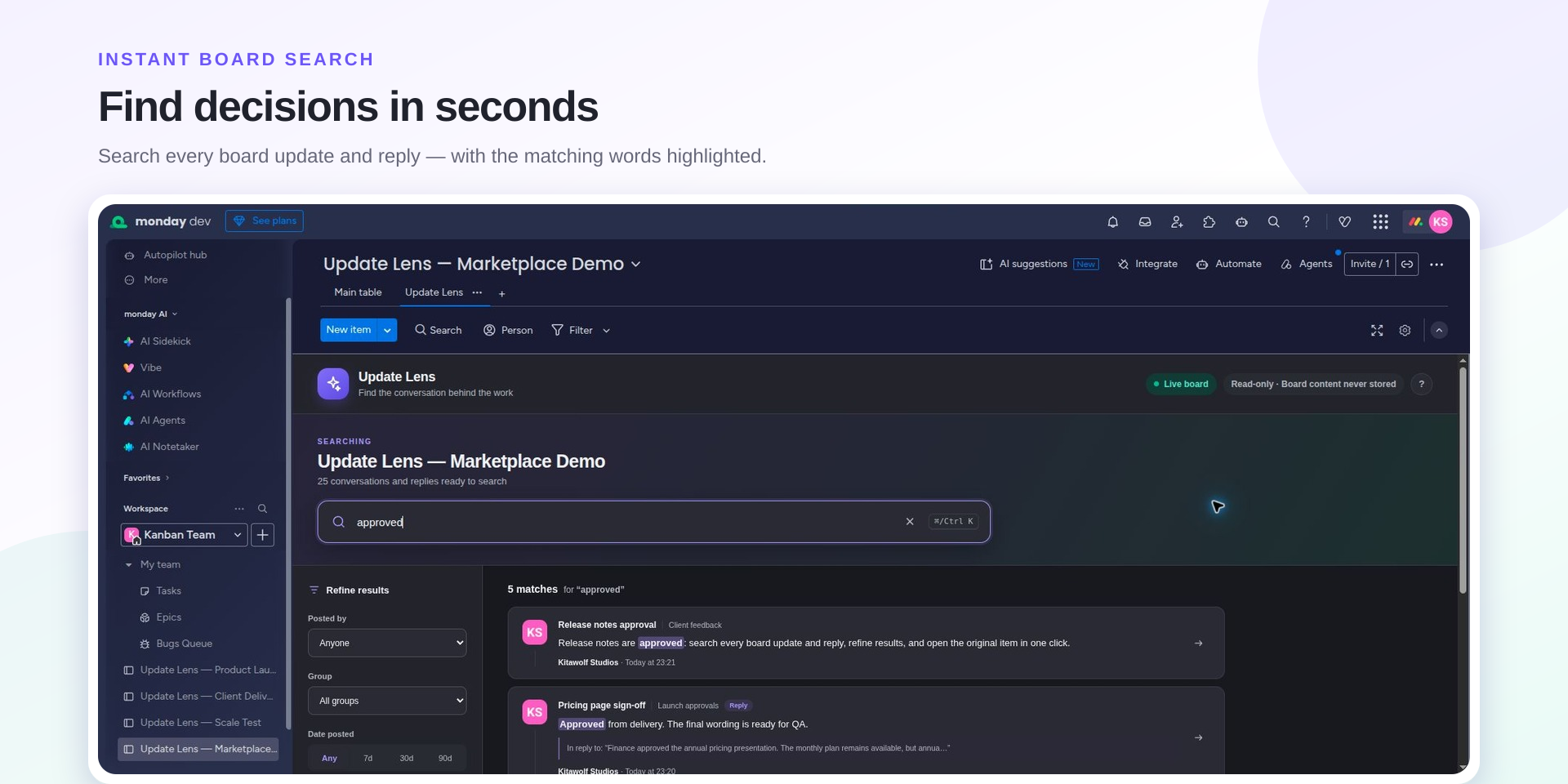
The search field uses text matching, not a question-answering AI. A multiword phrase is matched together. File contents are not searched. Use Ctrl K on Windows or Linux, or ⌘ K on macOS, while the app has focus to return to the search field.
Refine the results
- Posted by: choose an author present in the loaded conversations.
- Group: select the item's board group.
- Date posted: limit results to the last 7, 30 or 90 days, or choose Any.
- Has attachments: show top-level updates that have attached assets. The current version does not include attachments that exist only on a reply.
Filters combine with your search. Use Clear beside Refine results to reset filters, or the × in the search field to remove the search text. On narrow screens, use the Filters button.
Read the original conversation
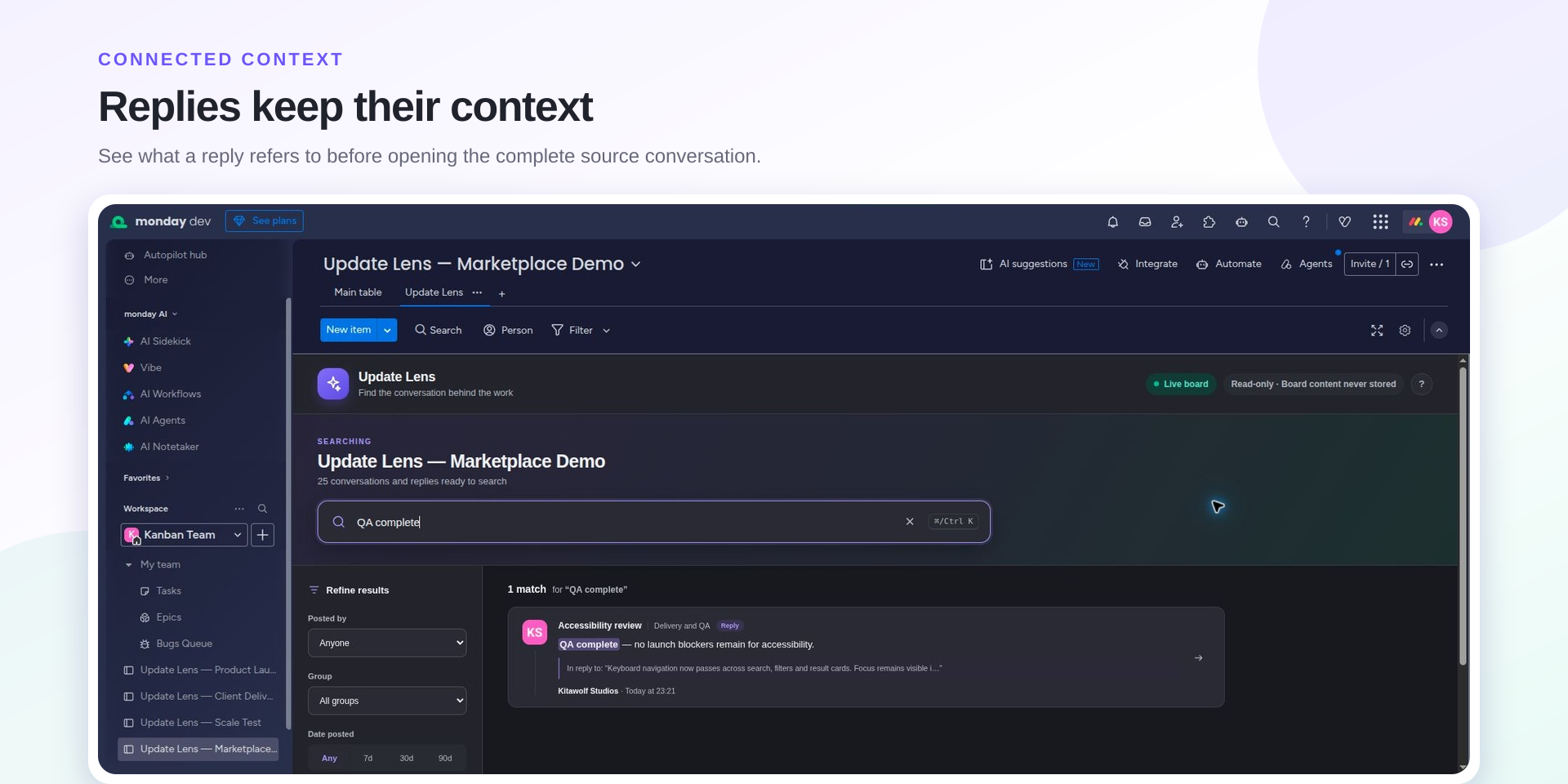
A reply includes a short excerpt from its parent update. Select a result or its arrow to open the original item's Updates section inside monday.com. The item may contain several updates; the app opens the item, not an automatically scrolled individual message.
Loading and current limits
Update Lens fetches updates in pages and makes loaded results available while older conversations arrive. The current version reads up to 50 pages of 100 top-level updates, plus the replies returned by monday. Boards above 5,000 top-level updates can therefore have older conversations outside the loaded set. Refresh the view to fetch newly posted or changed conversations.
“Preview data” identifies sample content; “Live board” identifies the connected board. The standalone preview does not open real monday items.
If something looks wrong
- No matches: try a shorter phrase, clear filters and allow older conversations to finish loading.
- Board could not be loaded: confirm that you can access the board, that the app is installed for its workspace and that your user role can use the API. Ask your administrator if needed, then refresh.
- Missing files: the attachment filter checks update attachments, not the board's Files column or the content inside a document.
- Missing recent changes: refresh the view. Search works on the conversations loaded during that visit.
- Welcome screen appears again: clearing browser data or blocking local storage prevents the app from remembering completion. You can still choose Start searching.
Get support
Email [email protected] with your browser, the approximate board size, the steps you took and what you expected. Redact sensitive content from any screenshot. Never send an API token, password or confidential export.
Read how Update Lens handles information or view the app terms.